Cline Integration
Run Cline, the autonomous VS Code coding agent, on any of 200+ models through LLM Gateway. One OpenAI-compatible endpoint, unified billing, full cost tracking.
Cline is an autonomous AI coding assistant that lives in VS Code. It creates and edits files, runs terminal commands, and works through multi-step tasks on its own. Unlike Cursor, Cline routes everything through the endpoint you give it — so with LLM Gateway you get a full coding agent on any model in our catalog, with every request tracked and billed in one place.
Quick Start
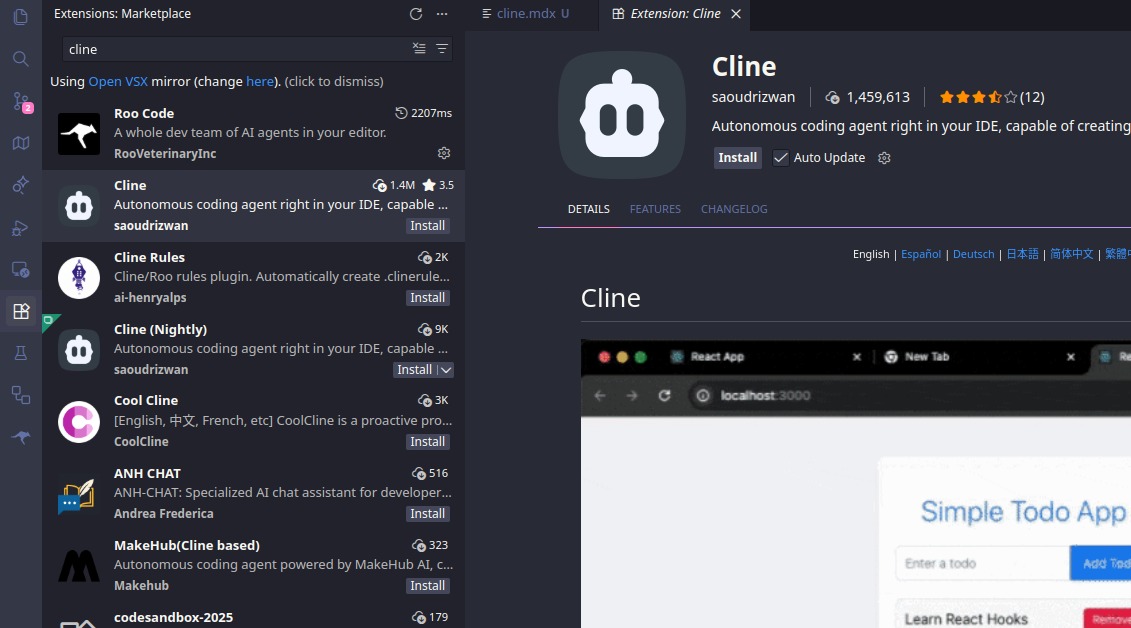
1. Install the Cline extension
Search for "Cline" in the VS Code Extensions view (Cmd/Ctrl + Shift + X) and install it.
2. Configure the API provider
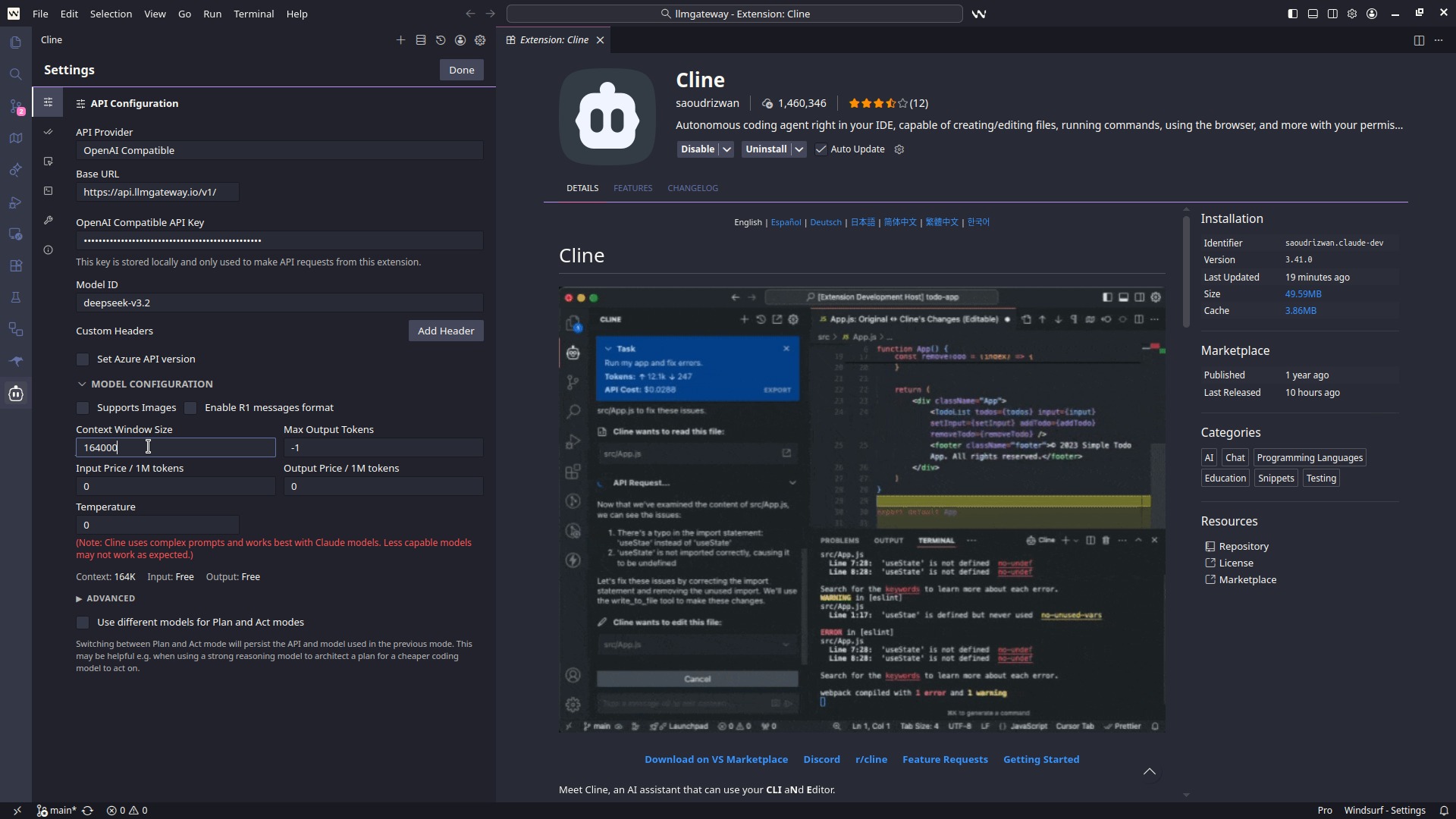
Open the Cline panel, click the settings gear, and set:
- API Provider:
OpenAI Compatible - Base URL:
https://api.llmgateway.io/v1 - API Key: your key from the LLM Gateway dashboard
- Model ID: any model from the catalog, e.g.
claude-sonnet-4-6,gpt-5.2, ordeepseek-v3.2
3. Test it
Ask Cline to do something concrete — "Create a hello world function in Python". It should respond and offer to create the file.
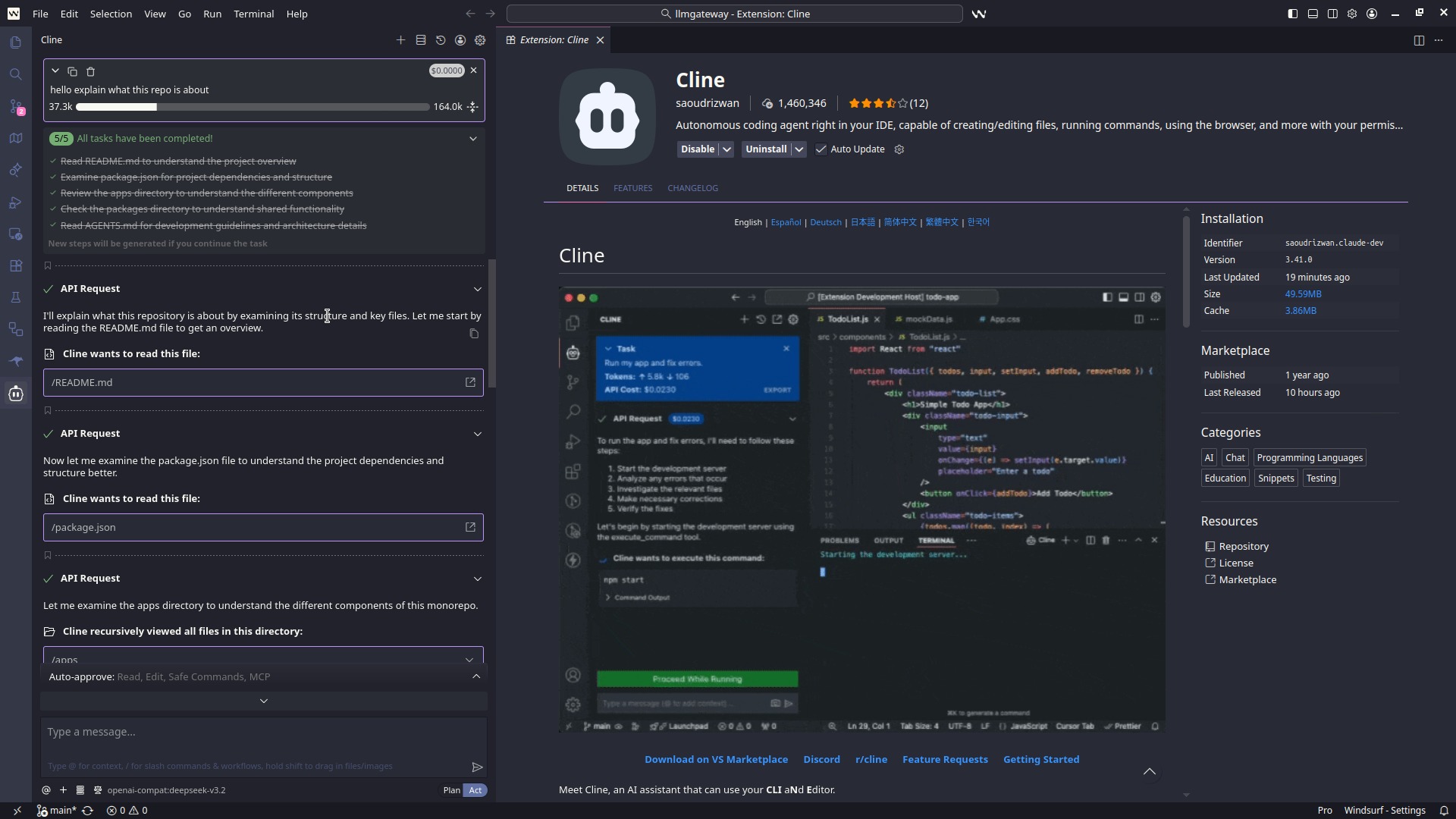
All requests — planning, edits, terminal commands — now route through LLM Gateway.
Picking the right model
Cline works the codebase hard: long contexts, lots of tool calls. A few tips:
- Frontier coding models (
claude-sonnet-4-6,gpt-5.2,gemini-3-pro-preview) give the best autonomous results - Discounted models: check the discounted list — same models, lower price through partner providers
- Provider pinning: prefix with a provider (e.g.
openai/gpt-5.2) to pin routing; otherwise LLM Gateway picks the best available provider with automatic failover - Free models: try free models for low-stakes tasks
Switching models mid-project
Because Cline just sees one OpenAI-compatible endpoint, swapping models is a one-line change in its settings — no new accounts or API keys. Use a fast, cheap model for boilerplate and switch to a frontier model for the hard parts, keeping one bill and one usage dashboard the whole time.
Troubleshooting
Authentication errors — Double-check the key and that the base URL is exactly https://api.llmgateway.io/v1.
Model not found — Copy the model ID exactly from the models page.
Context overflow on big tasks — Switch to a model with a larger context window; the catalog lists context sizes per model.
Need help? Join our Discord.
Why route Cline through LLM Gateway
- Full agent support — unlike Cursor, every Cline feature works through the gateway
- Any model, one key — OpenAI, Anthropic, Google, Meta, DeepSeek, and open-source models
- Cost control — per-request cost tracking and spend limits in the dashboard
- Caching and failover — repeated requests hit cache; failing providers fall over automatically
Get started for free — no credit card required.